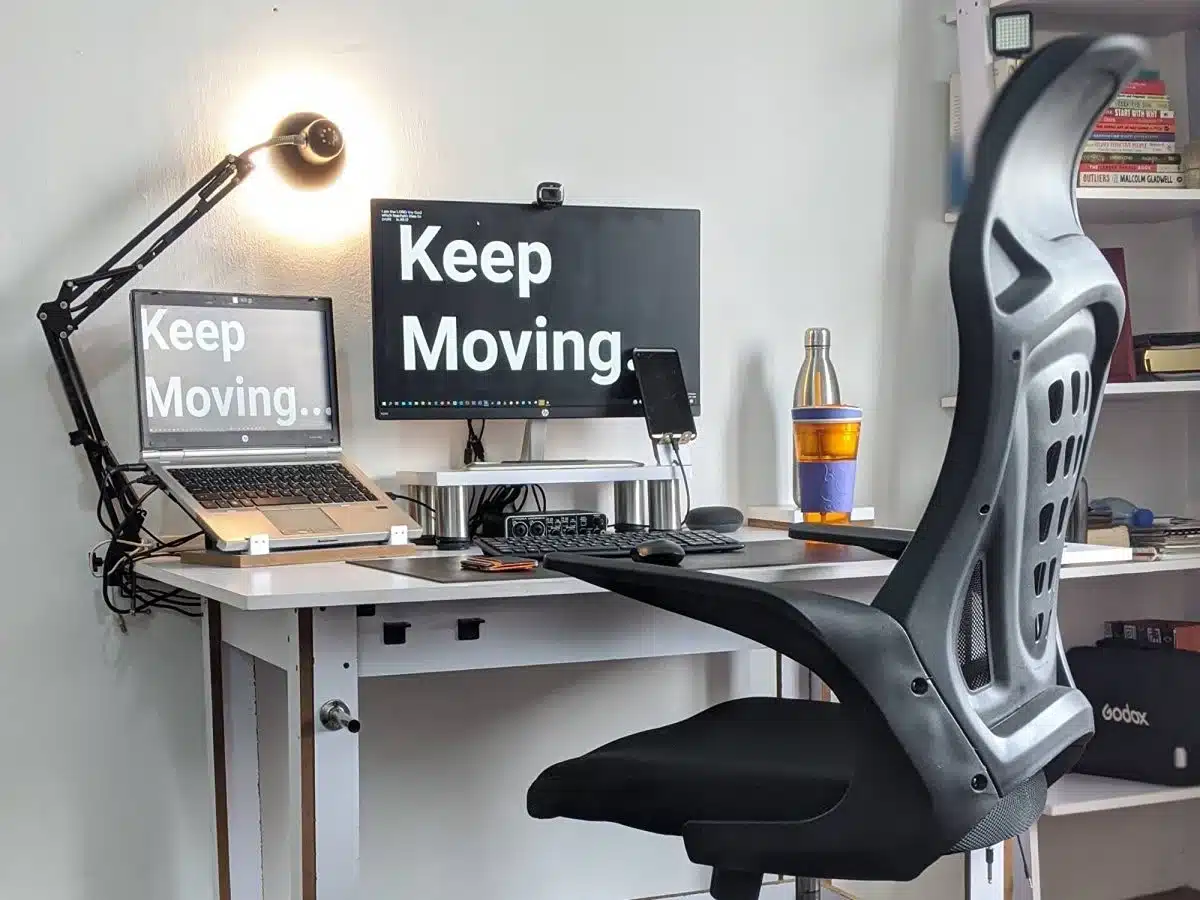
Ergonomic Studio Setup: Preventing Back and Wrist Strain While Creating
August 14th, 2026
Artist Ergonomics: A Comprehensive Guide
Introduction: The Hidden Toll of Creativity
Making art is deeply physical. Whether you sculpt, paint, type, or draw, your body becomes part of the creative process. Yet many artists overlook the ergonomics of their workspace until discomfort becomes chronic pain. Hours spent hunched over a canvas or gripping a stylus can lead to repetitive strain injuries, back problems, and even long‑term posture distortion.
Professional creators understand that a sustainable practice depends on a healthy body as much as inspiration. Ergonomic awareness isn’t just self‑care — it’s a productivity strategy. A comfortable setup lengthens your working time, sharpens focus, and preserves physical energy for creative breakthroughs.
This comprehensive guide will walk you through ergonomic principles tailored specifically for artists, from studio layout and workstation geometry to movement habits and preventive conditioning.
I. Foundations of Studio Health
1. Why Ergonomics Matters in the Art Studio
Unlike office work, art‑making involves large, varied motions. Pain from bad ergonomics doesn’t appear overnight; it accumulates quietly. Risks of ignoring ergonomics include back and neck strain, wrist and hand injuries, eye fatigue, and reduced creativity.
2. Understanding Body Mechanics
Your body operates as a system of levers and counterbalances. In studio design, aim for neutral joint alignment. Core principles include neutral posture (ears above shoulders), joint alignment (wrists straight, elbows near the body), and dynamic positioning (moving frequently).
3. Choosing the Right Studio Furniture
3.1. Adjustable Chair: Seek features like height adjustability, lumbar support, and appropriate seat depth.
3.2. Desk or Table Height: Ideal height equals the level of your bent elbows. Reference: 28–30 in for seated; 36–40 in for standing easels.
3.3. Easel Setup: Position the canvas so its center aligns with your eyes. Tilt slightly back to reduce forward head lean.
3.4. Anti‑Fatigue Mats: Cushioned mats distribute pressure for artists who stand.
II. Optimizing the Creative Environment
1. Organizing Tools Within Easy Reach
Follow the “primary reach zone” rule: Primary zone (forearm distance) for daily tools; Secondary zone (arm’s length) for solvents; Tertiary zone for infrequent supplies. Reducing micro‑movements preserves endurance.
2. Lighting: The Often Forgotten Ergonomic Factor
Proper lighting balances value perception and comfort. Position workspace perpendicular to windows; use task lighting around 5000 K; avoid top‑down shadows by using cross‑light from two angles.
3. Designing Your Studio Layout
Follow a triangle of activity: Creation zone (table/easel), Storage zone (shelving), and Cleaning zone (sink/bin). Pathways should remain uncluttered to avoid subconscious tension.
4. Seasonal Adjustments: The Spring Transition
Adapt ergonomics to rising temperatures: prioritize ventilation, take natural breaks outdoors to rebalance circadian rhythm, and use air filters for seasonal allergies.
III. Physical Maintenance and Wellness
1. Hand and Wrist Wellness
Keep wrists straight. Avoid death‑gripping tools; use thicker grips or sleeves. Follow the 20‑20‑20 rule. Incorporate warm‑up stretches like wrist circles and finger extensions before long sessions.
2. Back and Neck Health
Maintain ears above shoulders and shoulders above hips. When standing, keep feet hip‑distance apart and distribute weight evenly. Incorporate light core‑strengthening routines like planks or yoga to improve endurance.
3. Eye Care and Visual Ergonomics
Maintain a 3:1 light ratio between workspace and surroundings. Every 20 minutes, focus on an object 6 meters away to relax ocular muscles. Regular vision checks are vital for detecting digital eye strain.
4. Preventive Conditioning for Artists
A 5-minute daily stretch routine (neck slides, shoulder rolls, torso twists) and strengthening essentials (scapular retractions, planks) yield cumulative resilience.
IV. Adapting to Mediums and Scale
1. Standing vs. Sitting: Finding the Right Balance
Alternating positions is the solution. Sit for detail (inking, fine brushwork); stand for expression (large canvases, gestural marks). A sit‑stand stool can blend both positions.
2. The Ergonomics of Digital Creativity
Use a 20–45° incline for tablets to minimize neck tilt. Align the top of the monitor with eye level at arm’s length. Use vertical mice and split keyboards to lessen ulnar deviation.
3. Painting Large: Managing Wall or Floor Works
Move the canvas, not just your arms. Use extension handles for rollers and tools. For floor work, kneepads and low stools with backrests prevent joint compression.
4. Sculptors and Mixed‑Media Artists
Apply industrial ergonomics: keep heavy materials close to the body, use mechanical aids, and alternate sides during manual processes. Wear vibration‑dampening gloves for power tools.
5. Adapting Ergonomics Across Disciplines
Discipline
Common Risk
Primary Adjustment
Oil Painting
Neck extension & fumes
Eye‑level canvas, ventilation
Digital Art
Wrist & eye strain
Angled tablet, neutral wrist
Watercolor
Shoulder rounding
Use easel incline
Sculpture
Asymmetrical lifting
Rotate sides, mechanical aids
V. Long-Term Strategy and Success
1. Incorporating Movement: The Dynamic Studio
Static posture causes stiffness. Revitalize by using standing timers, performing shoulder rolls between washing brushes, or using a balance board for leg activation while standing.
2. Psychological Ergonomics: The Mind–Body Link
Mental stress amplifies tension. Use aromatherapy, background music, and visual tidiness to lower anxiety and improve posture.
3. Tracking Your Physical Health
Keep an art wellness log. Record work periods, sensations (tightness, numbness), and adjustments. Patterns reveal early warning signs that allow for minor tweaks before injuries occur.
4. Your Daily Ergonomic Checklist
Confirm: Seat/easel at eye level, tools within reach, wrists straight, shoulders relaxed. Lighting balanced, hydration ready, and timer set for reminders.
5. Designing for Longevity
Design your environment as an evolving companion. Revise setups yearly as technology and your body change. Measure comfort by energy surplus rather than just the absence of pain.
Learn how to write a powerful, authentic artist statement that communicates your ideas, materials, and inspiration. Practical templates, examples, and tips for clarity and confidence.
Learn exactly how to stretch watercolor paper so it stays flat under heavy washes. Tools, soaking times, taping methods, drying tips, and common mistakes explained.
Learn how to transform your sketches into expressive watercolor paintings. Covers planning, transferring drawings, line work, layering, and finishing techniques for artists at any level
Turn your love of animals into a professional pet portrait business. Learn how to paint convincing eyes and fur, tell emotional “pet stories,” market your work, and use certificates of…
Confused by acrylic mediums? Learn what gels, fluids, retarders, and other additives actually do, how brands differ, and which ones are genuinely useful for your painting style.
Learn when and how to varnish oil paintings, choose the right varnish, and protect your work from dust, UV light, and aging for long‑term preservation.
Feeling stuck creatively? Discover proven strategies, mindset shifts, and exercises that help artists break through creative block, restore flow, and rediscover inspiration.